SGKP-Search
Search, conversation and entry browsing in the Geographical Dictionary
Beta application. The application contains automatically processed SGKP text. Entry texts and metadata may contain typographical and processing errors, which are currently being reviewed and corrected. Answers generated by language models should be checked against the cited entries and page scans.
SGKP-Search provides access to the text of the Geographical Dictionary of the Kingdom of Poland and Other Slavic Countries (SGKP), including its supplementary volume, together with information extracted from entries as metadata. It enables users to find names and topics, ask questions about the dictionary, and browse and filter entries.
The application was developed by the Digital History Laboratory at the Institute of History of the Polish Academy of Sciences as part of the project Cultural and intellectual geography of the former Polish lands under the partitions 1865–1918 – digital vademecum.
Three ways to use the dictionary
- Search — find entries by name, words or subject.
- Conversation — ask questions in natural language and receive answers based on dictionary passages, with citations to the sources.
- Browsing — explore an ordered list of entries and narrow it using filters.
The interface is available in Polish and English. Controls in the header let users change the language and select a light or dark theme. The Help window provides basic instructions.
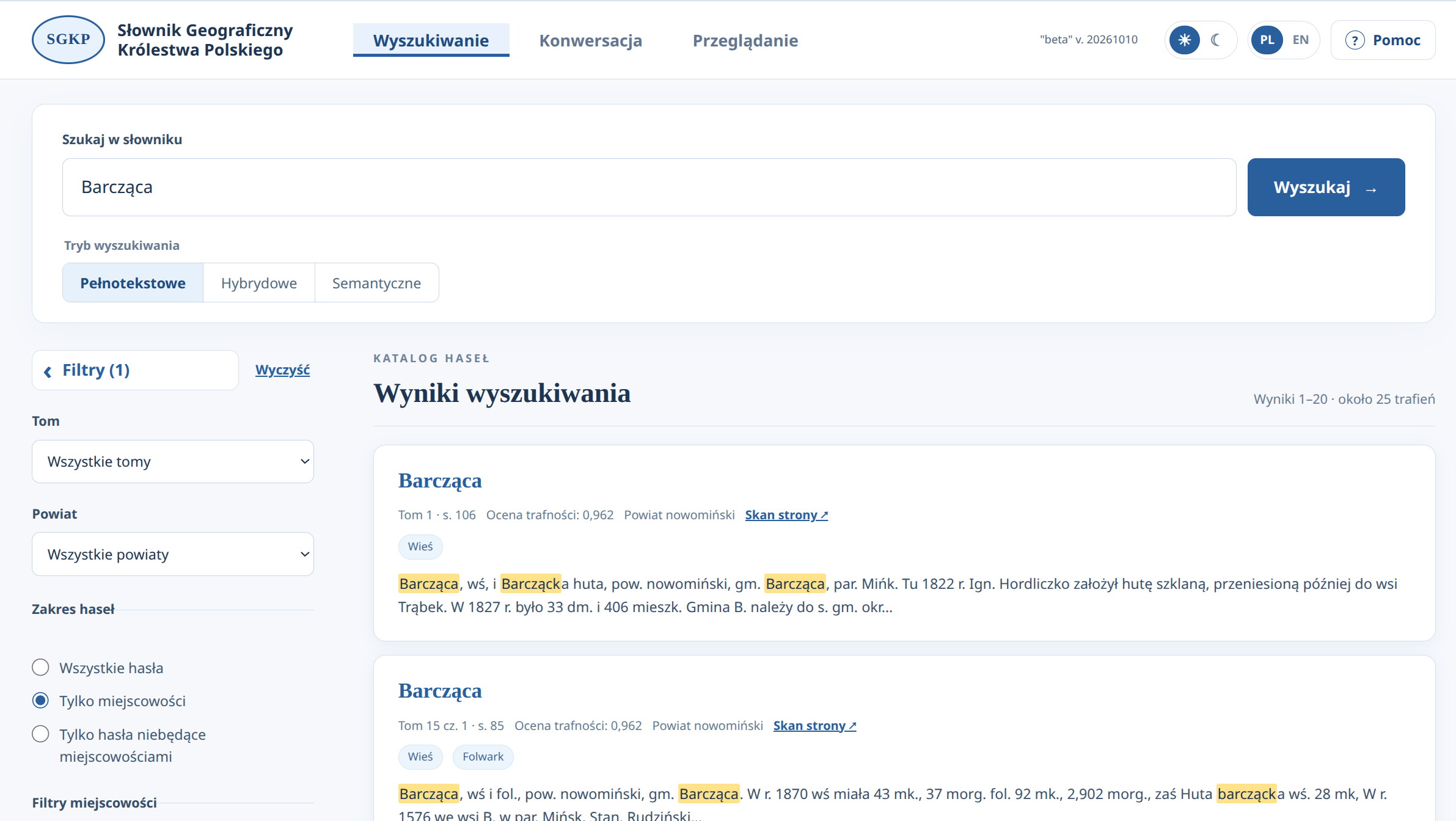
Search
Enter a name, phrase or concept, then select one of three modes:
- Full-text — searches for words in entry texts. It is useful for finding locality names, people and specific terms or concepts. A degree of tolerance in word matching helps locate name variants and names containing typographical or OCR errors.
- Hybrid — combines word matching with semantic similarity. The semantic weight slider sets the balance between the two methods.
- Semantic — finds passages similar in meaning to the query. Use descriptions of a topic, such as “raw material extraction” or “grain milling”. Results may concern the topic even without containing the exact words used in the query.
In semantic mode, users can enable Additional result verification. A decision model compares the query with each retrieved passage and rejects results it considers unrelated to the topic. Verification increases search time and may itself make errors.
Results are ranked by relevance, usually with 20 entries per page. Each card contains the entry name, basic information, a text excerpt and a link to the scan. Semantic search indicates thematic similarity; it does not guarantee an exhaustive list of every entry on a subject.
Filters and metadata
Each tab has a collapsible filter panel on the left. Users can select a volume, district and entry scope: all entries, localities only or non-locality entries only.
- Locality filters cover membership of the Kingdom of Poland, settlement type, governorate, commune and Catholic parish. To select a commune or parish, enter part of its name and choose an item from the list.
- Other entries can be filtered by type, such as river, lake or mountain. Available types are derived from the source metadata.
- Filters under Information in the entry require a metadata annotation in the selected categories. Selecting several categories requires information in every selected category.
There are currently 28 information categories, arranged in six collapsible groups:
- Sites and heritage: religious sites, manor houses and palaces, monuments, archaeological finds, gardens and landscape architecture, cemeteries.
- Economy: industrial establishments, mills, crafts, trade, animal husbandry.
- Transport and communications: postal and telegraph services, railway stations, customs offices and facilities, navigation and crossings.
- Offices, courts and military: offices, courts, military.
- Education, health and charity: schools, healthcare, spas, charity, student boarding houses.
- Culture and books: libraries, collecting, printing houses, museums, bookshops.
A missing annotation does not establish that an object was absent. These filters use automatically extracted metadata rather than every mention in the text. Incomplete or incorrect metadata can therefore affect the results.
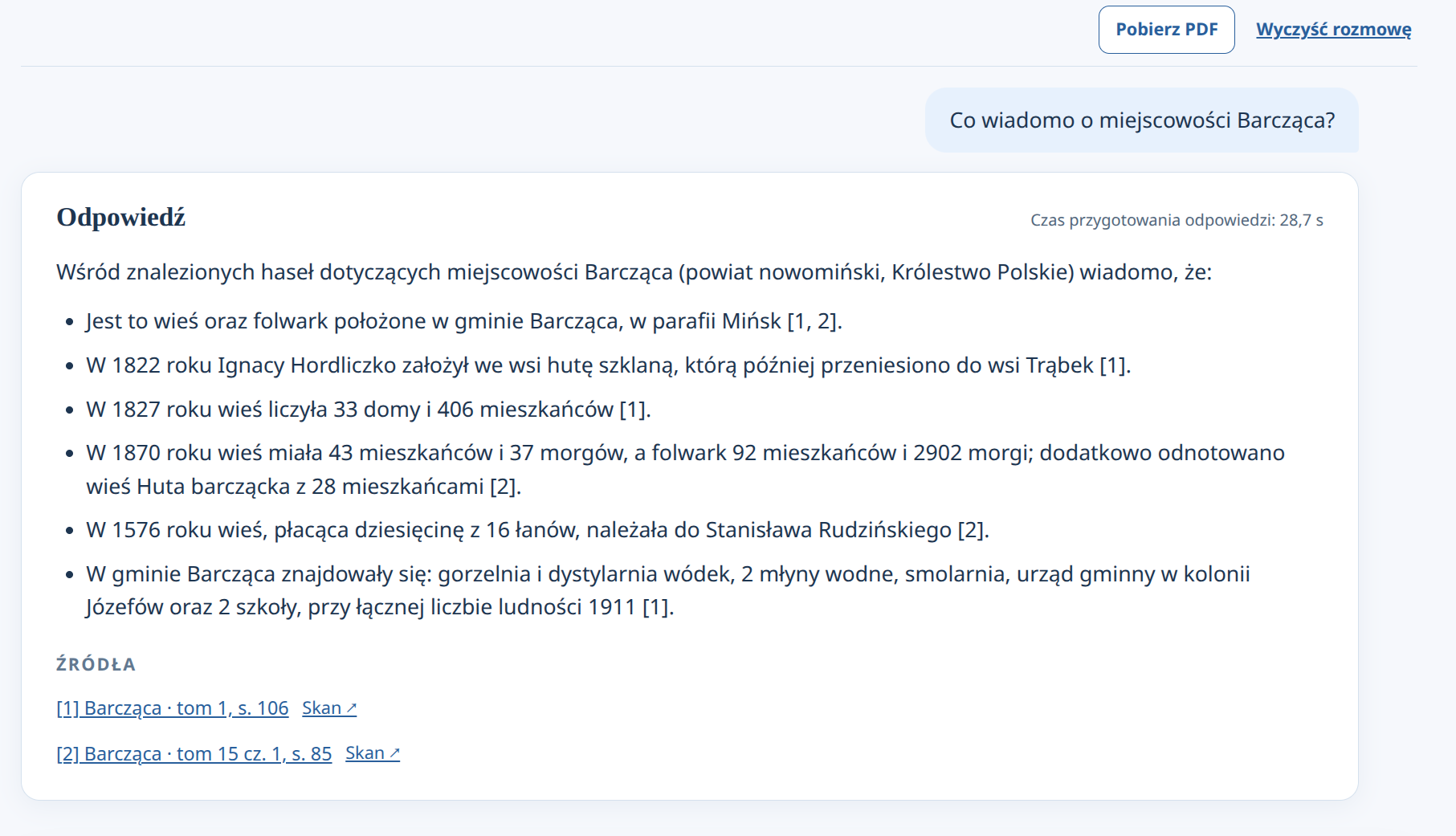
Conversation
This tab lets users ask questions about information in the dictionary. The application interprets the question, retrieves passages and prepares an answer with numbered citations to the entries used. A subsequent question can refer to a previous answer. Filters restrict the sources considered.
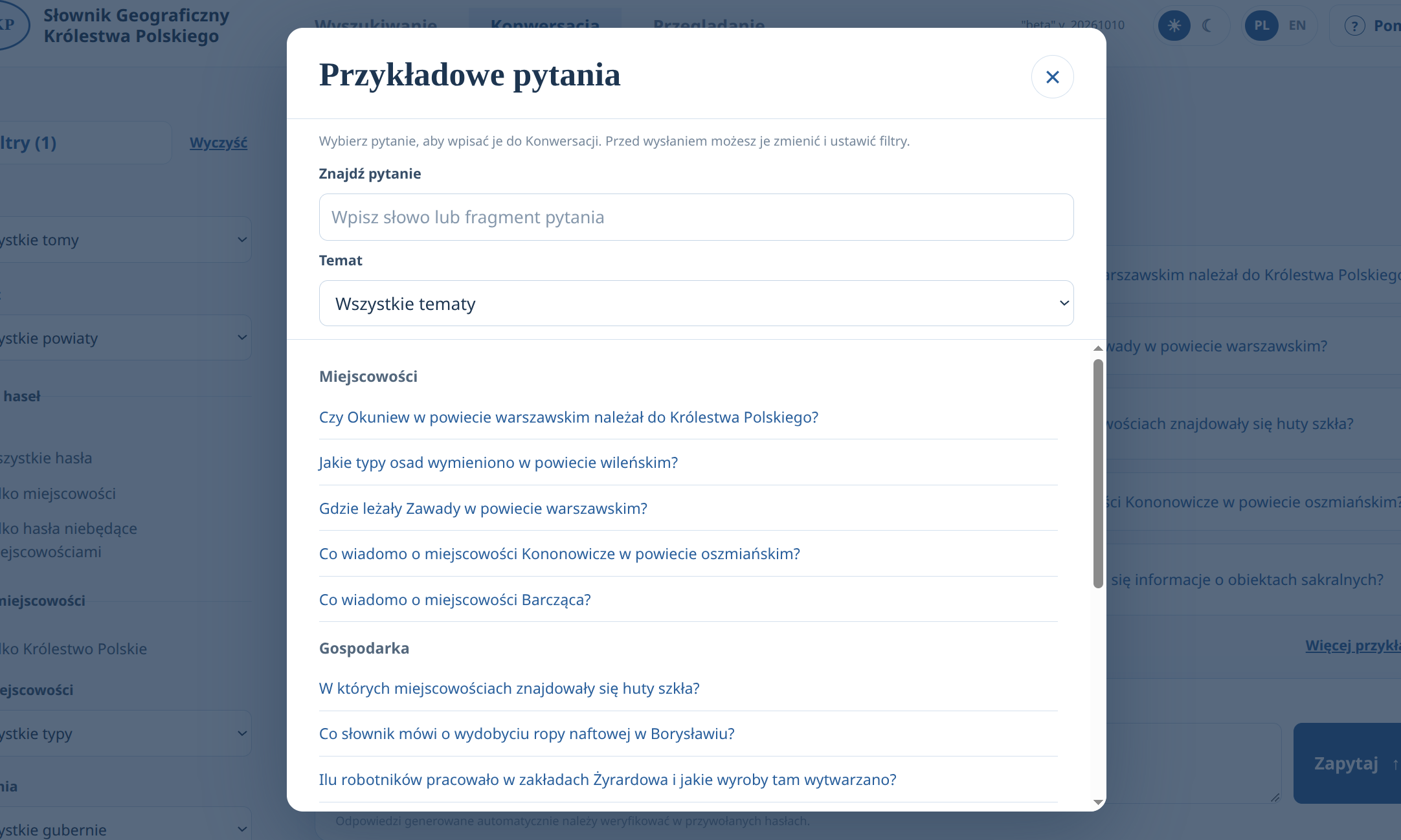
Ten example questions are shown on the main screen. More examples opens the complete list, organised by topic and searchable by text. Selecting a question in that window inserts it into the Conversation input, where users can edit it and adjust the filters before submitting it.
Example questions:
- “What is known about the locality of Barcząca?”
- “Which localities had glassworks?”
- “What archaeological finds were recorded in localities of the Warsaw district?”
- “How many workers were employed at the Żyrardów factories, and what products were made there?”
- “How many entries contain information about libraries?”
Two options change how an answer is prepared:
- Additional result verification — a decision model checks whether retrieved passages are related to the question before passing them to the model that prepares the answer.
- In-depth analysis — enables the model’s reasoning mode for the final answer. It may substantially increase waiting time; it does not automatically provide more sources or a more comprehensive answer.
For questions about how many entries contain information in a supported category, the application can count annotated entries while applying the selected filters. This is a count of entries with metadata, rather than a count of objects, such as libraries or offices, or of all mentions in the dictionary.
In the English interface, users can ask questions in English. The question is automatically translated into Polish for searching the Polish SGKP text, and the answer is prepared in English. Progress messages indicate processing stages, and each answer shows how long it took to prepare.
Download PDF saves the conversation with its sources. Clear conversation removes the current conversation from the browser tab.
Browsing
The tab displays entries and subentries, with 50 items per page. Volume 1 is selected by default. Users can choose another volume or all volumes, narrow the list by name or part of a name, and apply the other filters. The list updates whenever filters change.
List and grid views are available. The list includes the beginning of each entry’s text, preserving bold and italic formatting where available. The grid presents compact cards with the name, volume, page, type and scan link. Navigation above and below the list includes controls for its first and last pages.
Subentries are labelled as parts of collective entries and inherit their volume and page from the collective entry. The two parts of the supplementary volume are displayed as “15 part 1” and “15 part 2”.
Entry text and scans
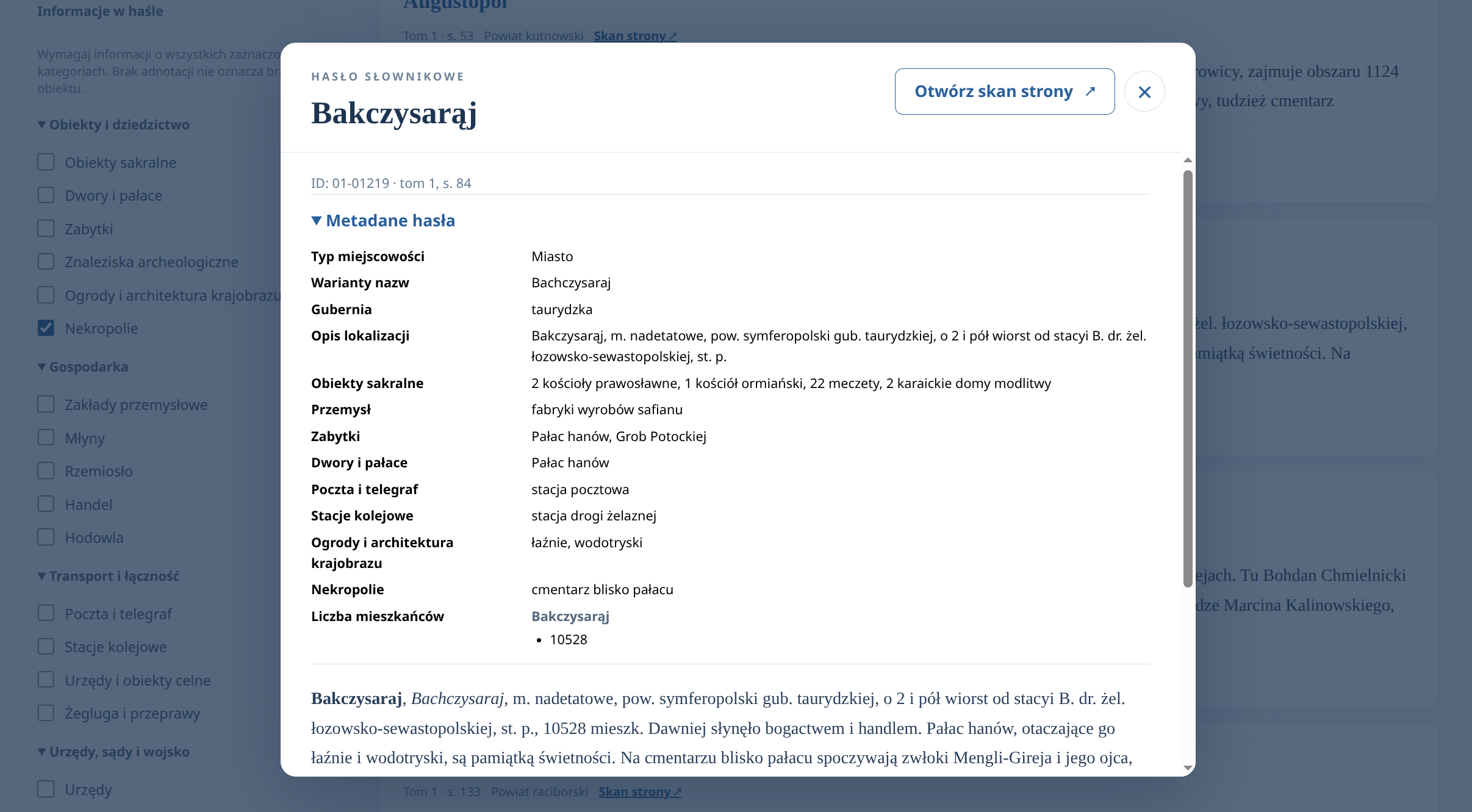
Selecting an entry name opens a window with its full text, metadata and a link to the page scan hosted by ICM at the University of Warsaw. Scans allow users to compare the automatically processed text with the printed edition.
Metadata includes the type, name variants, administrative and location information, parishes, described objects and institutions, and — where extracted — population, number of houses and religious composition. Available fields are shown, so the scope of information varies between entries. These data refer to the period described by the dictionary’s authors.
Technology and limitations
The application is written in Python using Flask. Text and vector search are handled by Meilisearch. Text vectors are generated using jina-embeddings-v3. Qwen 3.8 handles answers and question interpretation, while a separate decision model, jev, assesses relevance. The Polish model basal-1.5 is also being tested.
- OCR text, entry segmentation and automatically extracted metadata may contain errors.
- Semantic search and Conversation answers may be incomplete. Conversation is not intended to produce exhaustive lists of every locality.
- If local services are unavailable, the application may use external services. Answers prepared this way are identified in the interface.
- Additional verification and in-depth analysis increase processing time. The server may interrupt requests taking longer than five minutes (300 seconds). If this happens, try again or narrow the question’s scope.
Source code: SGKP-Search application and information extraction scripts.